6. Selection - if / else / elif
6.1 What is Selection?
Selection is a programming concept where the program chooses different paths of execution based on whether a condition is true or false.
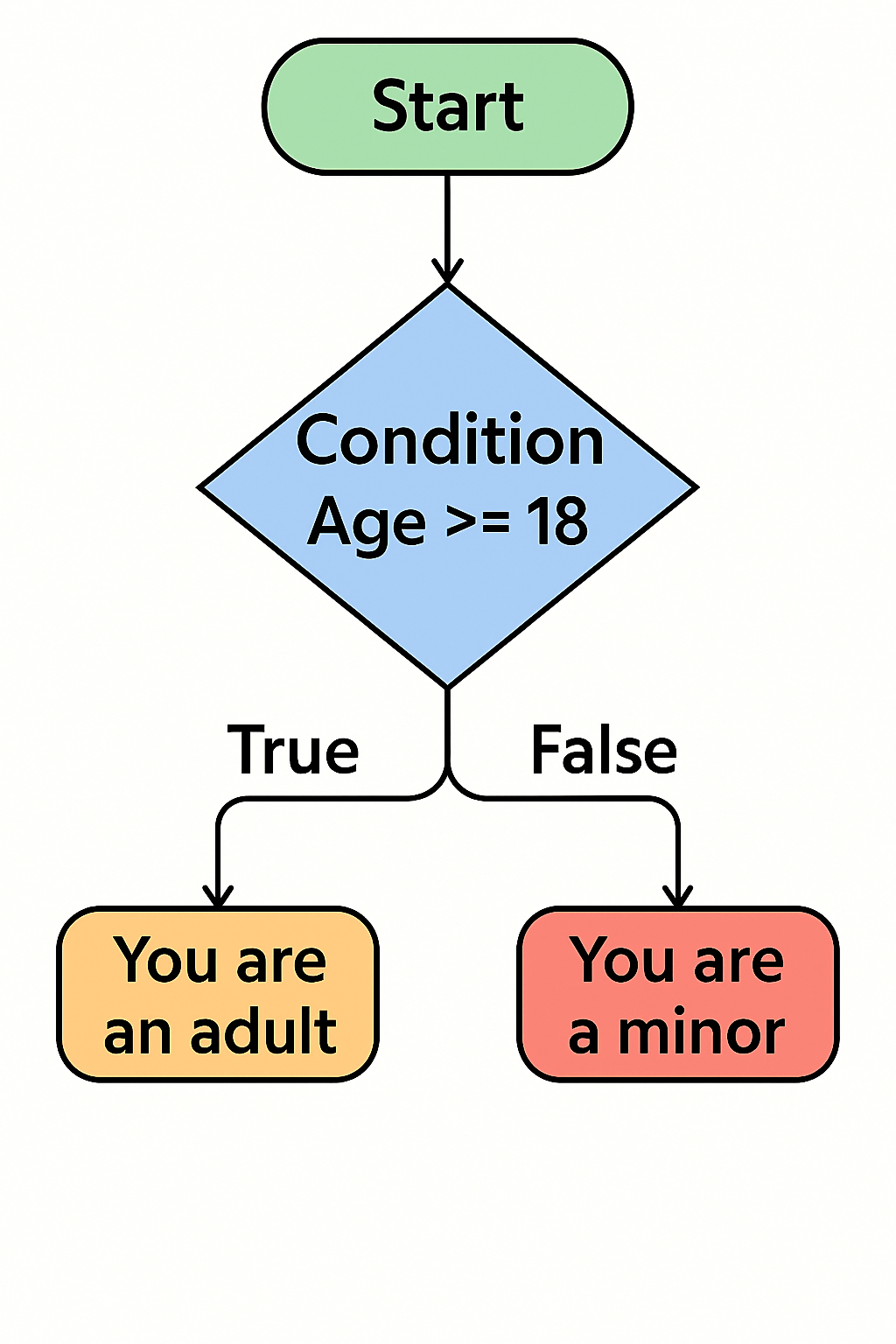
All choices are made via a decision based on a condition. A condition is a statement that can be either True or False. It’s used in programming to decide whether a certain block of code should run.
In the above flowchart, the condition is if Age is greater or equal to 18. This evaluates as either true or false and the program will execute accordingly. Notice that Age is a variable that can be any value.
There are other comparisons that can be made:
| Operator | Meaning | Example |
|---|---|---|
| == | Equal to | x == 5 |
| != | Not equal to | x != 5 |
| > | Greater than | x > 5 |
| < | Less than | x < 5 |
| >= | Greater or equal | x >= 5 |
| <= | Less or equal | x <= 5 |
6.2 Selection - If
In most programming languages, this decision is represented by the keyword if.
Let's look at how this works with the Edison:
1 2 3 4 5 6 7 8 9 10 11 12 13 14 15 16 17 18 19 20 21 22 23 24 25 26 27 | |
We can see here that two condition are being processed (lines 14 and 21). The Edison will only beep twice because we have set the beep_twice variable to True (line 11). This makes the selection statement on line 14 evaluate to true and therefore the indented code under it (lines 15-18) execute.
On the other hand, the variable beep_thrice is set to False, this makes the selection statement at line 21 evaluate to False. therefore, the code from lines 22 to 27 do not execute.
Note
Notice that the syntax is similar to the event loop. There is a colon ( : ) at the end of the line. Code to be executed if the statement is true is indented, just like the event loop.
- What happens if you change
beep_twicetoFalse? - What happens if make both
beep_twiceandbeep_thricetoTrue?
6.3 Selection - Else
What if we want to do something on the False side of the decision?
For this we have the keyword else:
1 2 3 4 5 6 7 8 9 10 11 12 13 14 15 16 17 18 19 20 21 22 23 24 | |
This will make the Edison beep three times.
On line 18 we have an else statement which runs code to make the Edison beep three times. This happens because at line 13 the if statement evaluates to false. The program then goes to the else statement at line 18 and executes the code there.
If we change beep_twice to True we'll have the opposite happen.
Note
Notice that only one set of code can be executed just like in the flowchart, where it's either doing things based on the true or false side of the decision.
1 2 3 4 5 6 7 8 9 10 11 12 13 14 15 16 | |
Here the Edison will beep and not drive.
Based on the code above can the Edison ever beep and drive at the same time?
6.4 Selection - Else If (elif)
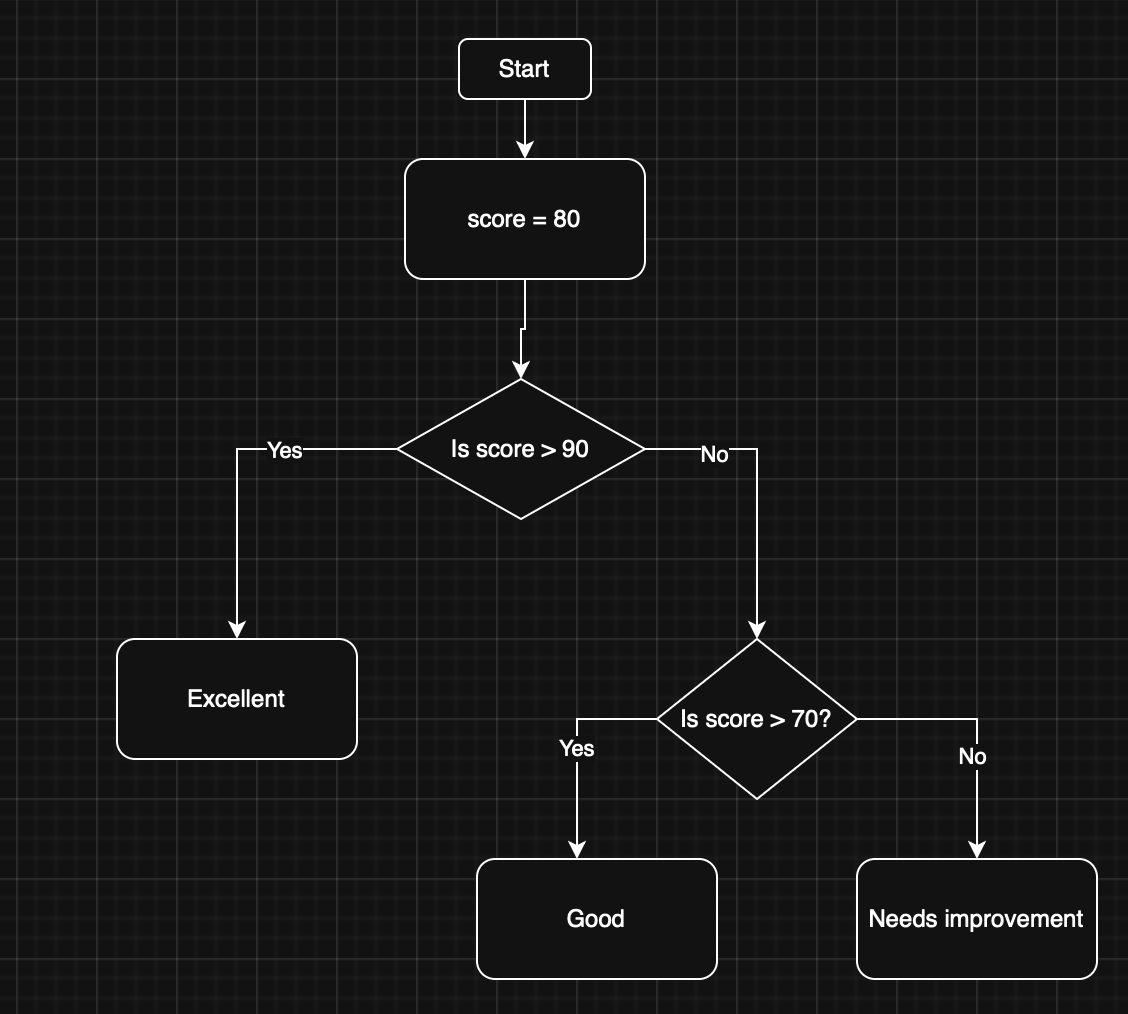
The above is a common situation that we need to represent. We can do this in two ways. The first is by nesting if statements.
1 2 3 4 5 6 7 | |
This is simply an if-else structure inside of an if structure and works fine. However, it can become difficult to read if we keep nesting. Also, we may run into difficulties keeping indentation correct.
We'll concentrate on using the elif (else if) statement to make things cleaner. The above can be written as:
1 2 3 4 5 6 | |
Same logic, much easier to read (and thus maintain).
Let's apply elif to our Edison:
1 2 3 4 5 6 7 8 9 10 11 12 13 14 15 16 17 18 | |
Which action will the Edison perform?
We need to be careful with the order in which our conditions are placed. Swap the conditions on line 13 and 15. What happens?